The "I Have Nothing to Hide" Myth
Most people operate under the assumption that because they aren't international spies or billionaires, hackers aren't interested in them. This is the single most dangerous misconception in personal cybersecurity.
Hackers don't just want your bank account. They want your identity to open loans in your name, your computer to mine cryptocurrency, and your email to launch attacks against your employer. You aren't the target—you are the commodity.
Have you ever talked about a product and then saw an ad for it 5 minutes later? That isn't magic. That is the massive machinery of data tracking working exactly as designed. If advertisers can track you that easily, imagine what a motivated hacker can do.
The Visible Threat: Phishing
Technology is hard to break. Humans are easy to trick. Phishing remains the #1 cause of data breaches because it hacks human psychology, not computer code.
The "Urgency" Trap
Emails that demand immediate action ("Your account will be suspended in 1 hour!") are designed to make you panic and bypass critical thinking.
The Domain Mismatch
The sender says "PayPal Support" but the email address is [email protected]. Legit companies use their own corporate domains.
Generic Greetings
"Dear Customer" instead of your name. Banks and services you use know your name. If they don't use it, be suspicious.
Never click a link blindly. Hover your mouse over the link (or long-press on mobile) to reveal the actual URL destination before you click.
The Invisible Threat: The "Coffee Shop" Hack
When you connect to "Starbucks Free WiFi" or airport networks, you are stepping into a digital minefield. Public WiFi is often unencrypted, meaning anyone with a $20 antenna and free software can perform a "Man-in-the-Middle" attack.
Unsecured Traffic
Without encryption, hackers can see exactly which websites you are visiting and steal session cookies.
The "Evil Twin"
Hackers set up fake WiFi hotspots named "Free Airport WiFi". If you connect, you hand them your data.
🛡️ Don't Browse Naked on Public WiFi
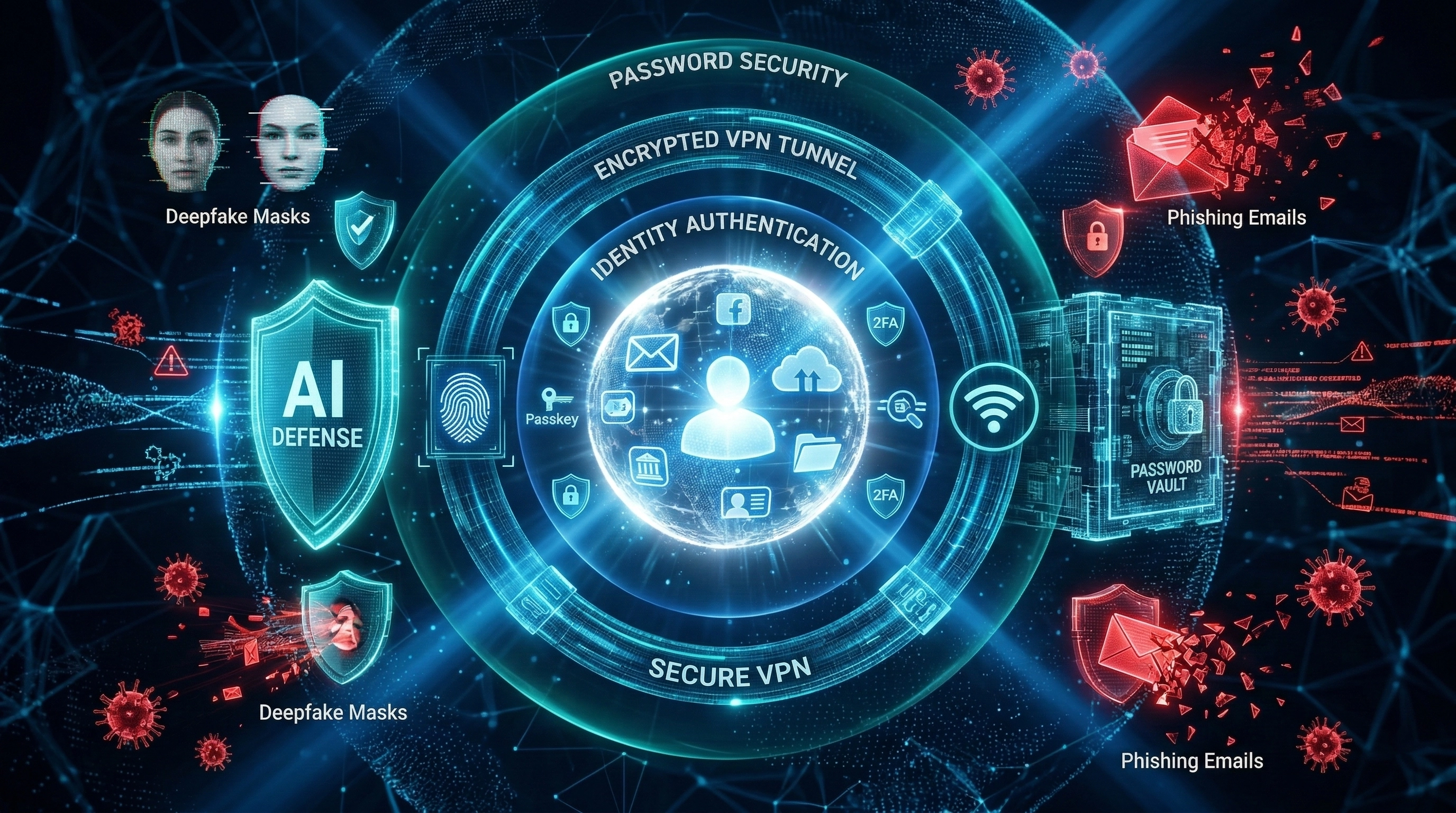
The only way to stay safe on public networks is to encrypt your connection using a VPN (Virtual Private Network). It creates a secure tunnel so no one—not the hacker, not the coffee shop owner—can see what you're doing.
See Recommended VPNsThe Tracker Threat: Your ISP Knows Everything
Even at home, you aren't perfectly private. Your Internet Service Provider (ISP) sees every domain you visit. In many countries (like the US), it is legal for them to sell this browsing data to advertisers.
Furthermore, if you are traveling, geo-blocks prevent you from accessing your own content. Netflix, banking apps, and news sites often block you based on your IP address.
If you don't want your ISP logging your history or you need to bypass geo-restrictions, you need to mask your IP address. You can do this using a Proxy or a VPN.
The Credential Crisis
If you use the same password for your email as you do for a random shopping site, you are already compromised. Hackers breach small sites to steal passwords and then try those same passwords on Gmail and PayPal. This is called "Credential Stuffing."
Never reuse passwords. Use a Password Manager (like Bitwarden or 1Password) to generate unique, 20-character passwords for every single site.
AI Deepfakes & The New Face of Phishing
Forget the typo-riddled emails from a "Nigerian prince." The AI deepfakes and hyper-personalized phishing campaigns flooding inboxes in 2026 are a completely different animal. Attackers now feed your LinkedIn profile, your public social posts, and your company website into an AI model, and it drafts a spear-phishing email that reads exactly like your boss — right down to her phrasing quirks. One click and it's over.
Voice cloning has made things worse. A CFO at a UK firm once transferred $243,000 after receiving a phone call from what sounded exactly like his CEO. The voice was fabricated using roughly three minutes of publicly available audio. That's the threat level we're dealing with now as one of the defining cyber threats of 2026. The attack surface isn't just your inbox anymore — it's your ears.
Any request involving money, credentials, or sensitive data — no matter how convincing the voice or email — should be verified through a completely separate channel. Hang up and call the person back on a number you already have saved. Never use the contact details provided in the suspicious message itself.
On the consumer side, AI deepfake scams are targeting everyday people. Fake video calls impersonating relatives in distress. AI-generated "romantic partners" who eventually ask for a wire transfer. Synthetic identity videos used to bypass video KYC checks at banks. The technology to create these fakes is cheap, accessible, and getting faster.
Passkeys: Why the Password Era Is Finally Ending
Passwords are structurally broken. You can make them long, complex, unique — and a single data breach at some third-party site still hands them to an attacker on a plate. The industry has known this for years. The fix is called FIDO2 passkeys, and in 2026, it's no longer a niche developer experiment. Apple, Google, and Microsoft all support it natively. Your bank probably does too.
Here's the short version of how FIDO2 passkeys work: when you register with a site, your device generates a pair of cryptographic keys. The private key never leaves your device — not to the website, not to a server, not anywhere. The site only stores the public key. When you log in, your device uses biometrics (Face ID, fingerprint) to prove it's you, signs a challenge with the private key, and you're in. There's no password to phish. No credential to stuff. Nothing for a server breach to expose.
Go to the security settings of your Google account, Apple ID, or Microsoft account right now and enroll a passkey. It takes under two minutes. The moment you do, phishing attacks against that account become almost entirely ineffective — because there's no password to steal.
When 2FA Gets Beaten: MFA Fatigue and Token Theft
Two-factor authentication is not a silver bullet anymore. Attackers figured that out, and now there's an entire sub-industry built around bypassing it. The two dominant techniques you need to understand are MFA fatigue attacks and session token theft — and both are being used against regular people, not just corporate targets.
Switch to Number-Matching Push
Upgrade from simple "Approve/Deny" push notifications to number-matching MFA (available in MS Authenticator and Duo). A brute-force MFA fatigue attack can't beat this.
Use a Hardware Security Key
A FIDO2 hardware key like a YubiKey is the gold standard. Even if an attacker has your password, a physical key cannot be replicated remotely.
Shorten Session Lifetimes
Reduce session token duration to the shortest practical window. A stolen cookie with a 5-minute TTL is nearly useless.
If you receive an MFA push notification and you're not actively logging into that service at that exact moment, deny it immediately and change your password. Someone else just tried to get in. That's not a false alarm — that's a live attack in progress.
Your Smart Home Is a Hacker's Side Door
Every device you connect to your home network is a potential entry point. Smart TVs. Baby monitors. Robot vacuums. Thermostats. Door locks. Most of them shipped with default credentials, minimal patching cadences, and security teams that are an afterthought. The expanding IoT attack surface is one of the most underestimated cyber threats in 2026, because these devices are trusted implicitly once they're inside the network.
If you're in the market for a new router, look for one that supports VLANs (Virtual LANs) — available on prosumer models. VLANs let you carve up your network into isolated segments with granular rules, giving you enterprise-grade IoT isolation without the enterprise price tag.
Infostealers: The Malware Living in Your Browser
Infostealer malware is one of the fastest-growing threat categories tracked by security researchers right now. The name tells you everything: it infects your machine and silently vacuums up saved passwords, browser cookies, autofill data, crypto wallet keys, and session tokens — then ships them off to a command-and-control server before you've noticed anything is wrong.
Open your browser's extension manager right now. How many do you have? Do you recognize all of them? Extensions that request permissions to "read and change all data on websites you visit" have nearly unrestricted access to everything your browser touches — including your passwords and session cookies.
AI Tools, Prompt Leakage, and Your Private Data
Millions of people now routinely paste sensitive information into AI assistants — salary details, medical symptoms, confidential business strategy, personal legal situations. It feels like a private conversation. Often, it is not. How that data is stored, used for training, and protected from other users is a set of questions most people have never bothered to ask.
Treat AI Prompts Like Emails
Before you type anything into a public AI tool, ask yourself: "Would I be comfortable if this appeared in an email to a stranger?"
Disable Training Opt-In
Most major AI providers give you the option to opt out of having your conversations used for model training. Find this setting and turn it off.
Never Paste API Keys
Use placeholder values or abstract the real credentials out of any code you share with an AI assistant.